Products
Ekklesia
A church management and coordination application — people, households, ministries, events, serving schedules, visitor registration and calendar publishing in one workspace.
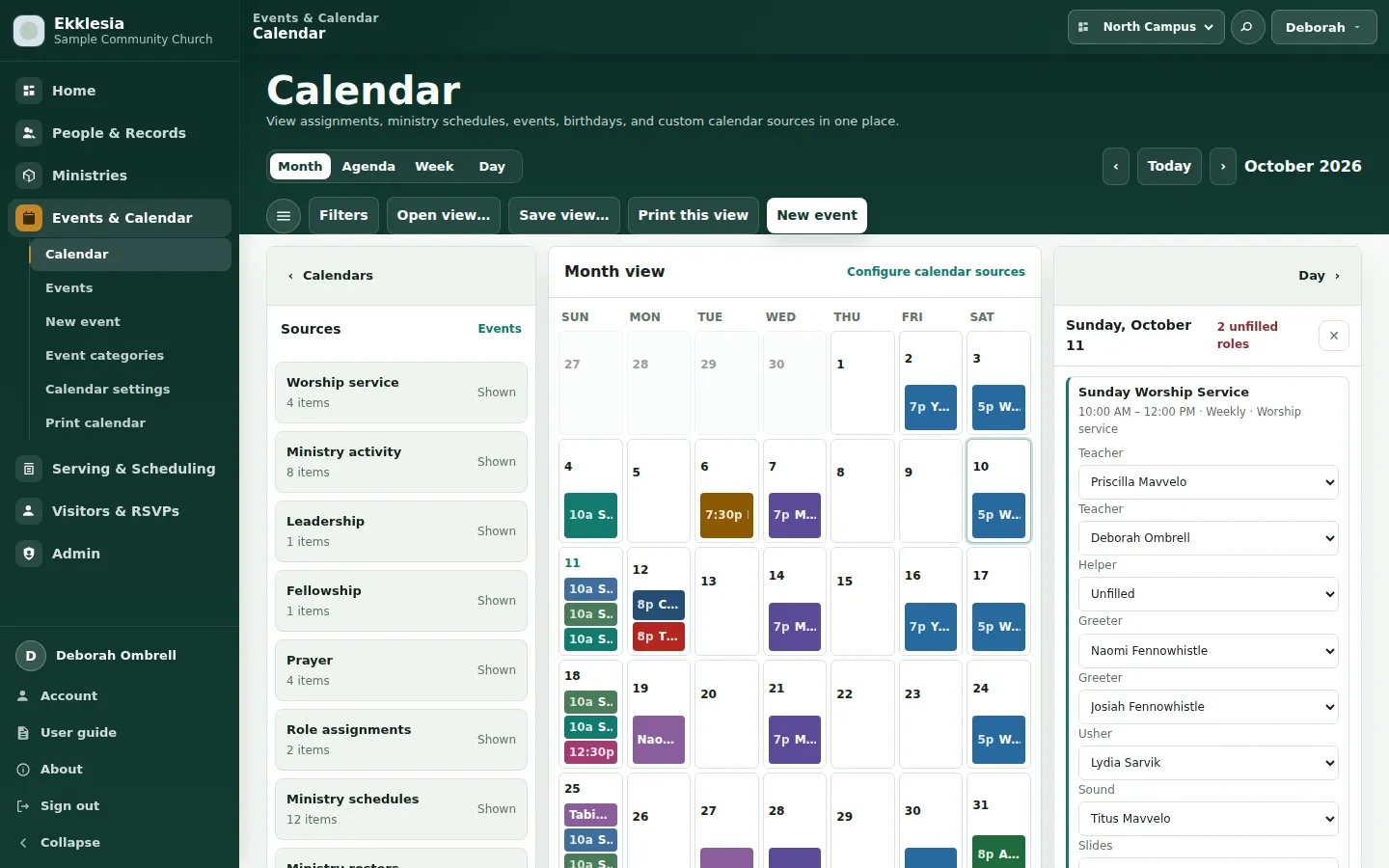
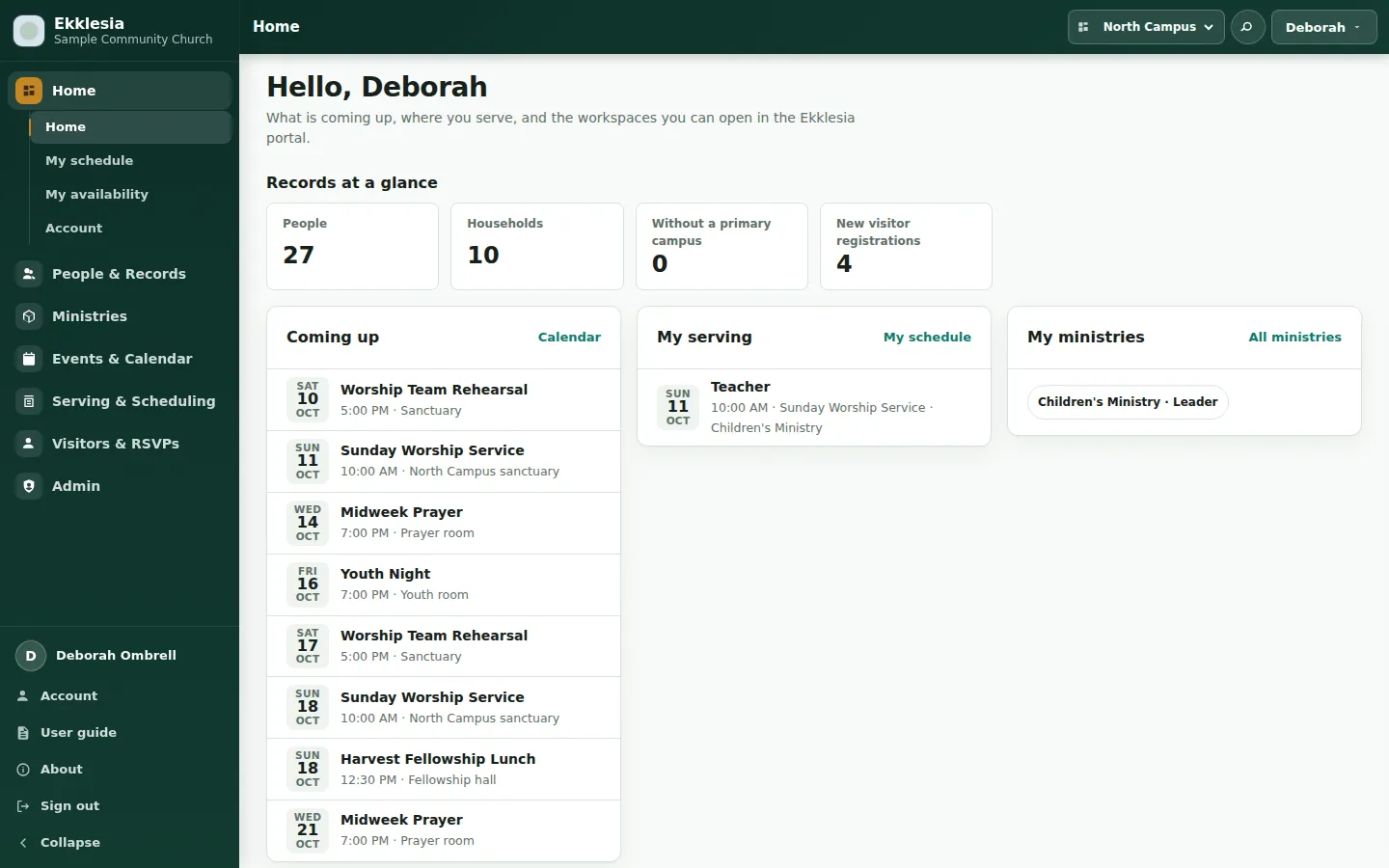
Ekklesia brings a church’s member records and weekly coordination together. Administrators maintain people and households, ministry leaders organize their teams, schedulers assign serving roles, and members see their schedules and upcoming activities.
Developed for and used by Christlikeness Church, Ekklesia is also available for deployment for other churches and similar institutions. Each organization can run its own installation on its official website or intranet, configured around its campuses, ministries, branding and access requirements.
The screenshots on this page show a fictional sample church: invented people, households, ministries and schedules, never the church’s records.
At a glance
| Aspect | Ekklesia |
|---|---|
| For | Churches and similar institutions coordinating people, teams, activities and serving schedules |
| Shape | An organization’s own web application, deployed on its website or intranet |
| Workspaces | People, households, ministries, events, calendar, serving, visitors and administration |
| Publishing | Printable calendars and rosters, reusable publications, PDF printing and editable PowerPoint calendars |
| Access | Member, scheduler, leader and administrator permissions, with campus and ministry scopes |
| Current use | A private installation used by Christlikeness Church |
| Offering | Deployment assistance and configuration for another organization |
What the church can do
| Area | What users can do |
|---|---|
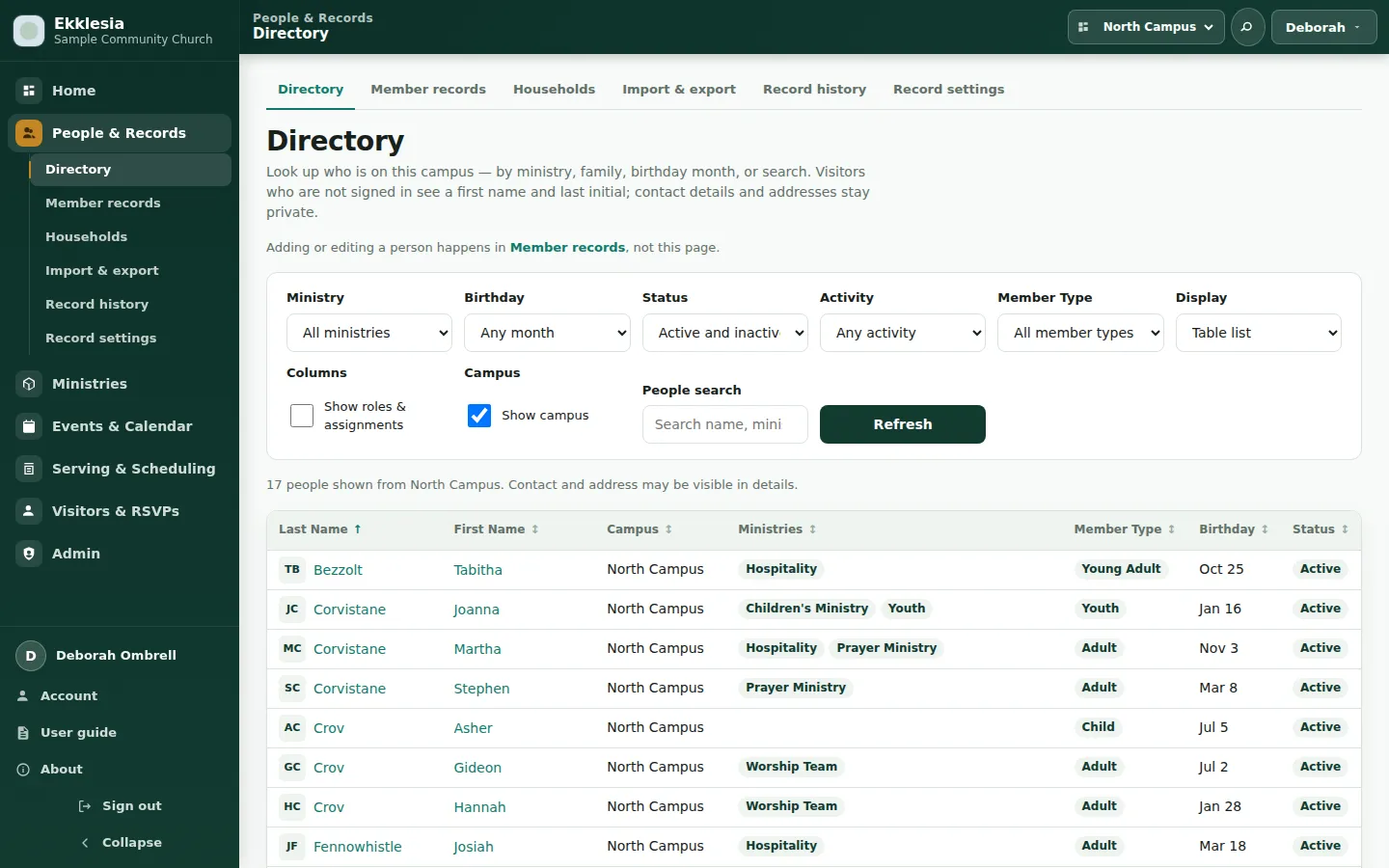
| People & member records | Find people, maintain contact details, organize member classifications and campus affiliation, review duplicates and follow record history. |
| Households & families | Maintain shared addresses and contacts, record household roles, connect related households and review possible duplicate records. |
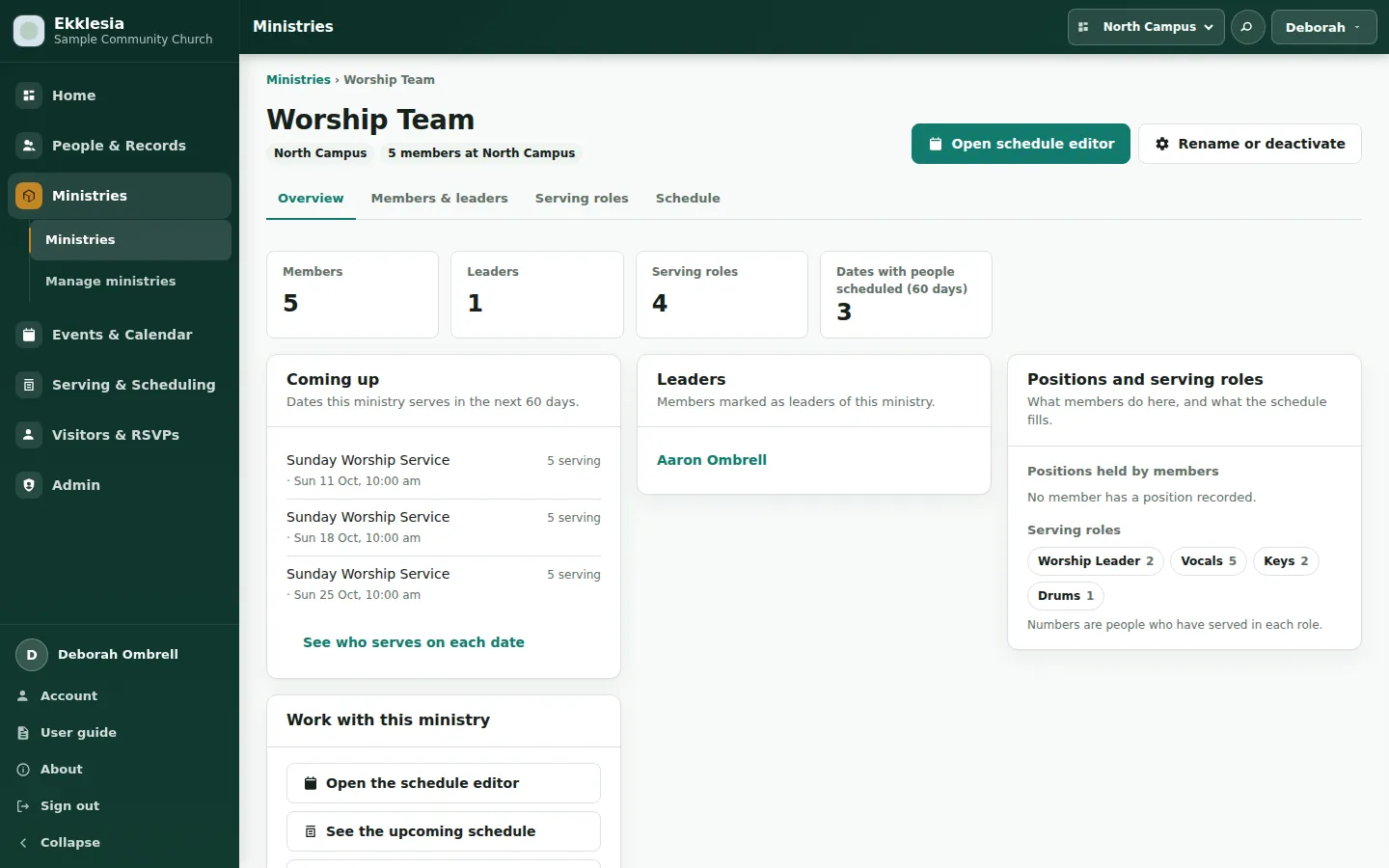
| Ministries | Organize members, leaders, positions and serving roles within a dedicated ministry workspace. |
| Events | Create activities and recurring series, manage dated occurrences, and organize events by campus, ministry, type and tags. |
| Serving schedules | Assign people to roles on activity dates, review availability and conflict indicators, and identify unfilled roles. |
| Personal schedules | Give members a clear view of when and where they are serving. |
| Calendar | Explore Month, Agenda, Week and Day views with events, serving assignments, birthdays, anniversaries and holiday layers. |
| Visitors & RSVPs | Collect guest registrations and event responses, review submissions, match existing members and promote reviewed visitors into member records. |
| Print & publications | Prepare calendars, ministry planners, event lists and birthday directories for noticeboards, handouts and distribution. |
| Administration | Manage accounts, permissions, campuses, church information, announcements, appearance, imports, exports and backups. |
From member records to ministry work
A person’s member record connects their household, campus and ministry involvement. Ministry workspaces bring the team’s members, leaders, positions, serving roles and upcoming schedules together.
Membership describes who belongs to the team. Serving assignments record who fills a particular role on a particular date. Keeping those connected helps leaders plan from their actual ministry roster while preserving past schedules when team membership changes.
Administrators can import the church’s Hub workbook or a Google Sheets roster through a staged review process. Matches, duplicate decisions and ministry mappings are reviewed before changes are applied. Roster exports support the church’s continuing spreadsheet workflows.
Planning the church week
The calendar combines activities, serving assignments and significant dates in one place. Users can move between a monthly overview and Agenda, Week or Day views, choose their calendar layers, and filter by campus.
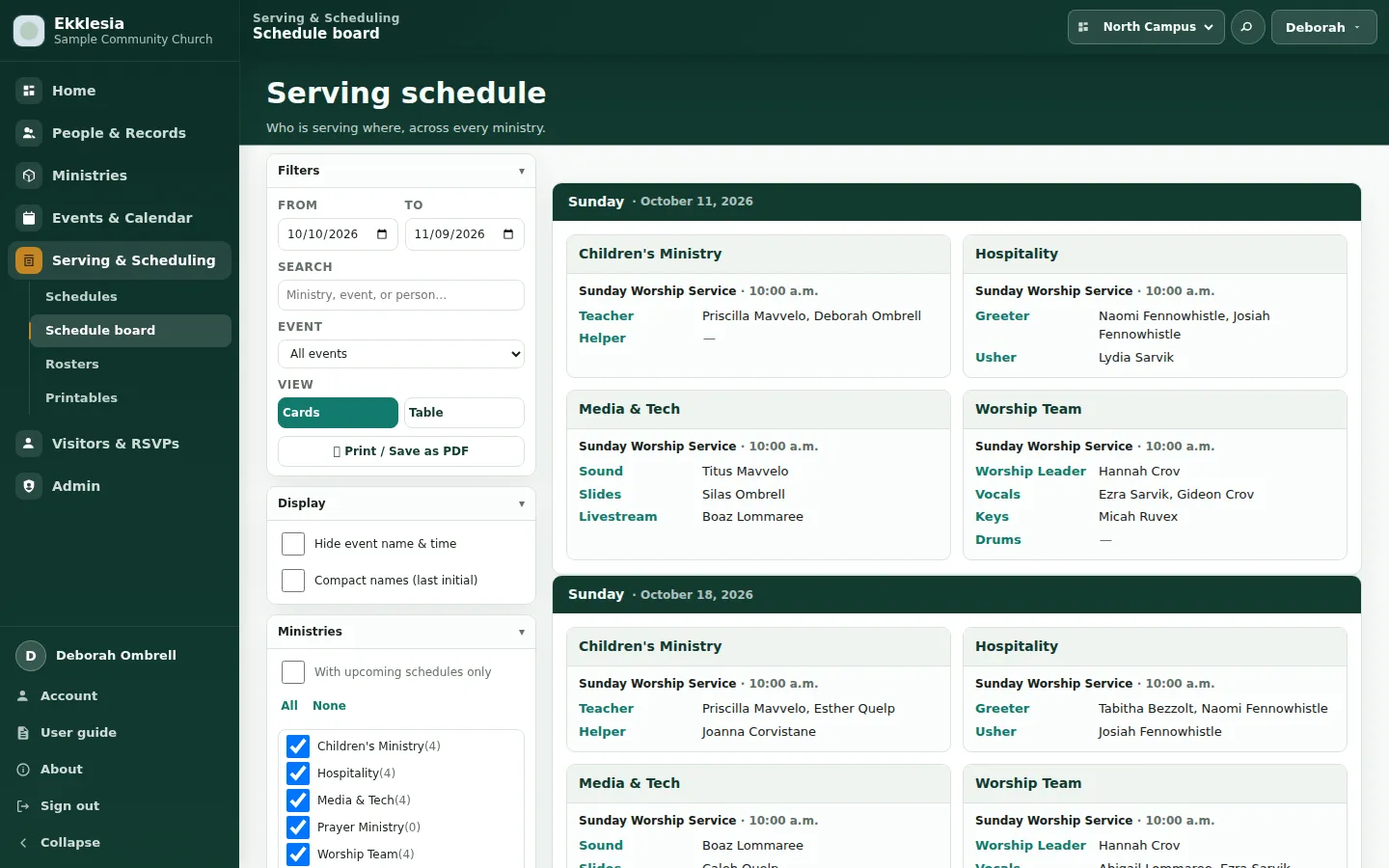
Opening a date shows its activities, serving roles and unfilled positions in a contextual panel. Authorized schedulers can fill or change an assignment there, or open the serving grid to work across several dates.
Recurring activities are represented as a series with dated occurrences. Event types also control visibility: ministry and leadership activities can be restricted to the appropriate audience.
Saved views let signed-in users reopen useful combinations of calendar layers and display choices. Shared views make commonly used arrangements available to others.
Calendars that become publications
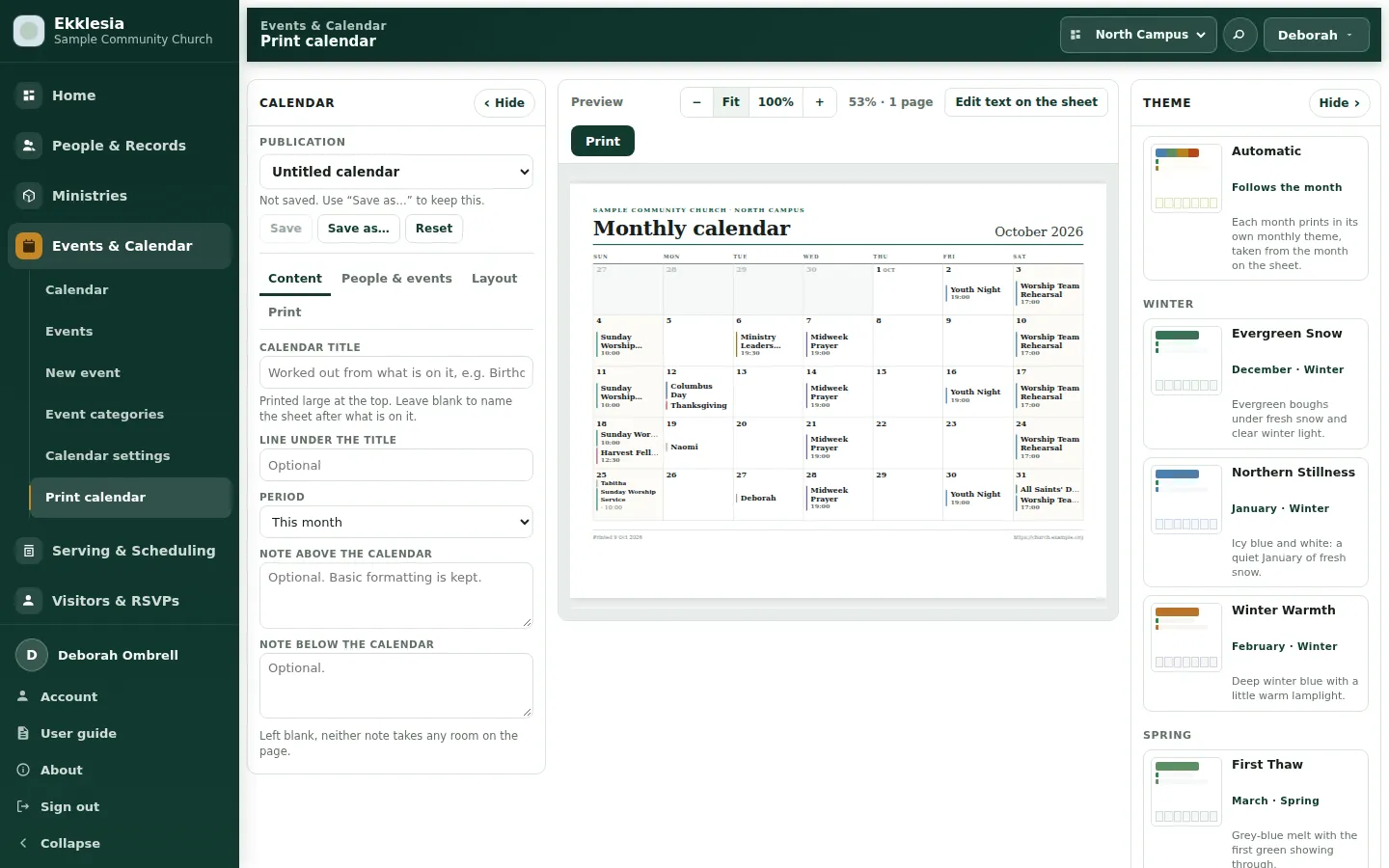
Ekklesia’s print studio turns calendar information into documents the church can distribute. Print this view carries the selected dates and layers from the calendar into a preview workspace with content, layout and theme controls.
| Publication feature | What it provides |
|---|---|
| Layouts | Monthly and weekly calendars, agendas, Sunday schedules, year-at-a-glance sheets and ministry planners |
| Paper | Letter, A4, Legal, Tabloid and A3, with orientation choices |
| Reusable publications | Saved titles, periods, sources, notes and appearance settings that can be reopened next month |
| Monthly themes | Automatic seasonal designs or a fixed theme chosen for the publication |
| Background pictures | Uploaded artwork with positioning, transparency and readability controls |
| Editable publication text | Titles, supporting lines, notes and footers edited directly on the preview |
| Printing & PDF | Browser printing, including Save as PDF |
| PowerPoint export | Editable monthly calendars for further design and preparation |
The selected campus determines whose calendar information appears. Birthday publications use preferred or first names, with optional last initials; ages are never printed.
One page keeps each month on a single sheet, showing an overflow count when a day is full. Grow to fit includes every entry and continues onto additional sheets when needed.
Design in PowerPoint, publish with church data
A church can create its own calendar artwork in PowerPoint and let Ekklesia populate it each month.
Download a theme starter, decorate its first slide, and position the named
regions for the title, month, calendar grid and supporting text. Upload the
.pptx as a theme, then select it in the print studio to preview the design
with real calendar information.
Themes can be replaced with new versions or retired. Administrators can share approved designs with the church.
The calendar can also be exported as an editable PowerPoint file. Dates, headings and daily entries become text boxes; calendar cells become shapes; and supported custom artwork remains editable. This gives the church room to add photographs, adjust wording or finish the publication before sharing it.
PowerPoint export uses the monthly grid. The theme importer supports a defined selection of PowerPoint artwork, and some built-in decorative elements are omitted from export.
Welcoming visitors
Public guest sign-up and RSVP pages provide entry points for newcomers and event participants. Submissions enter a separate visitor database for review.
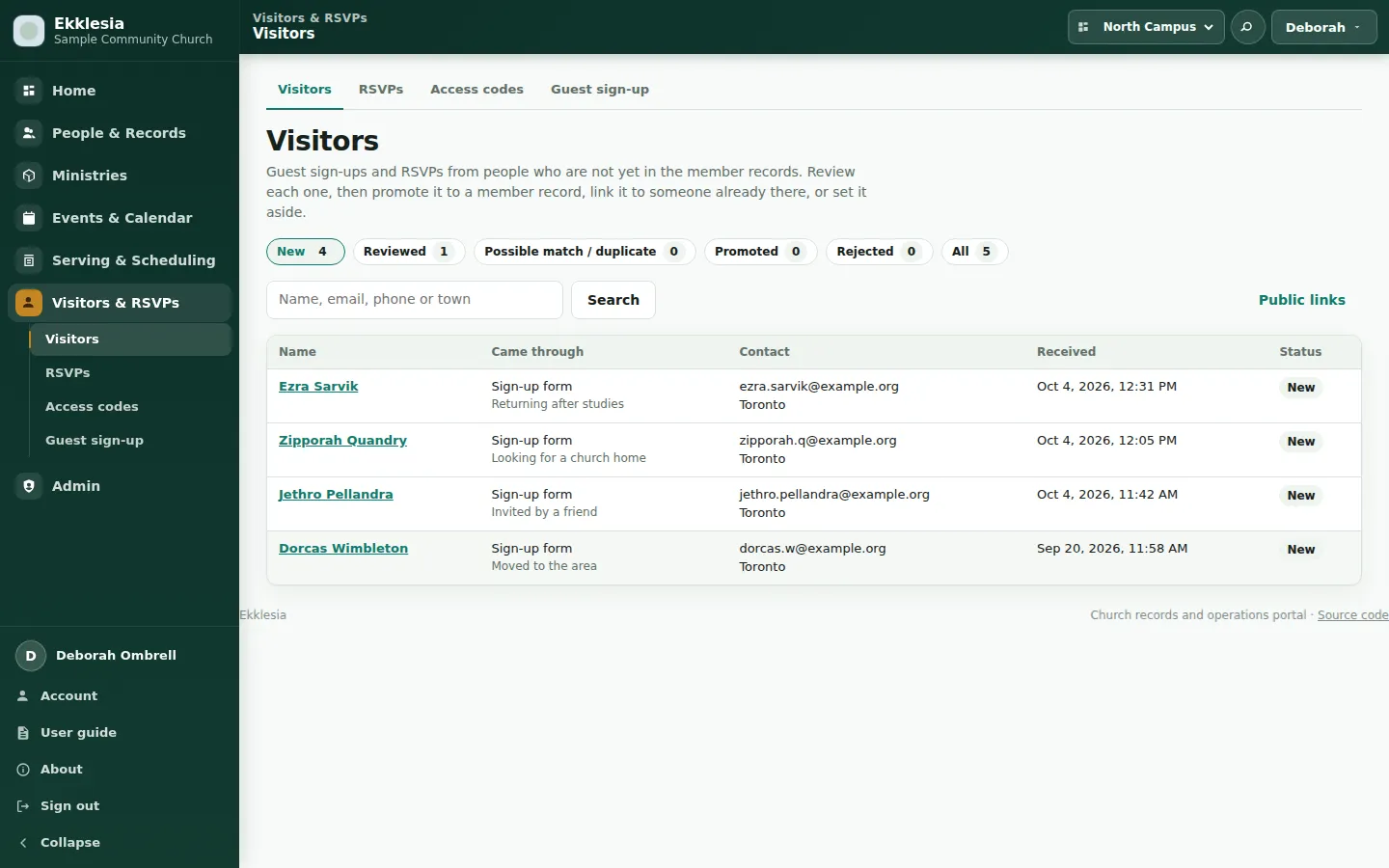
Reviewers can compare registrations with existing member records, identify duplicates, record notes and promote a reviewed visitor. Promotion creates or matches a member record and preserves the connection to the original registration.
The visitor and RSVP modules have their own administrative access codes, managed through the portal with rotation and expiry.
Access for members, leaders and administrators
Accounts are provisioned by administrators, with permissions suited to the person’s responsibilities.
| Role | Typical access |
|---|---|
| Member | Personal schedule, calendar and account/profile functions |
| Scheduler | Serving schedule management within granted scope |
| Leader | Ministry people, roles and schedules within granted scope |
| Administrator | Account, record and operational management within granted scope |
| Portal-wide administrator | Church-wide configuration, maintenance and access administration |
Campus and ministry scopes limit access to the relevant area. Audience restrictions protect leadership activities across event listings, calendar feeds and direct links.
Account management includes role assignment, password resets, activation and deactivation, and activity history. Safeguards protect the last active portal-wide administrator from being removed or disabled.
Connected when configured
| Service | What it enables |
|---|---|
| Google sign-in | Authentication for existing portal accounts using the church’s configured OAuth credentials |
| Emailed sign-in links through the configured mail service | |
| Google Sheets | Downloading a roster into the staged member-import workflow |
| Holiday calendars | Cached public holiday layers, with synchronization managed by administrators |
Google and emailed sign-in links authenticate existing accounts. They do not create member records or grant roles. Each installation supplies its own credentials and connection settings.
A private church installation
Christlikeness Church’s installation is access-controlled and contains church information. It is available to its authorized users and is not a public demonstration.
This page presents Ekklesia’s capabilities for organizations considering their own deployment. Its screenshots use a fictional sample church.
Running it for your organization
Ekklesia can be deployed within a church’s intranet or as part of its official website. The installation can be configured with the organization’s identity, campuses, ministries, member classifications, navigation and access roles.
| Concern | How Ekklesia handles it |
|---|---|
| Hosting | A self-hosted PHP application with MySQL/MariaDB and a private SQLite visitor database |
| Organization | Configurable church information, campuses, ministries and record settings |
| Access | Organization-managed accounts and scoped permissions |
| Data transfer | Reviewed roster imports and member exports |
| Backups | Member and visitor database backups, private archives and JSON snapshots |
| Releases | Tracked database migrations and a deployment workflow with verification and a temporary maintenance gate |
I can help assess hosting requirements, deploy the application, configure the organization’s structure and access, and assist with importing existing member records. Deployment scope and any additional requirements can be discussed around how your organization works.
How it is built
Ekklesia uses PHP 8.2+ with server-rendered pages and browser-side JavaScript and CSS. MySQL/MariaDB holds member records, households, ministries, events, schedules and accounts; SQLite holds visitor registrations and RSVPs.
Application services and repositories handle permissions, records and workflows. Automated checks cover architecture boundaries, regression behaviour, source contracts, privacy and contrast, with browser tests available for interface verification.
The source is public on GitHub under the GNU Affero General Public License v3.0. Contributions are welcome.
Interested in Ekklesia?
If your church or institution needs a shared system for member records, ministry coordination, serving schedules and calendar publishing, get in touch to discuss deployment.